01
Repertory with sources
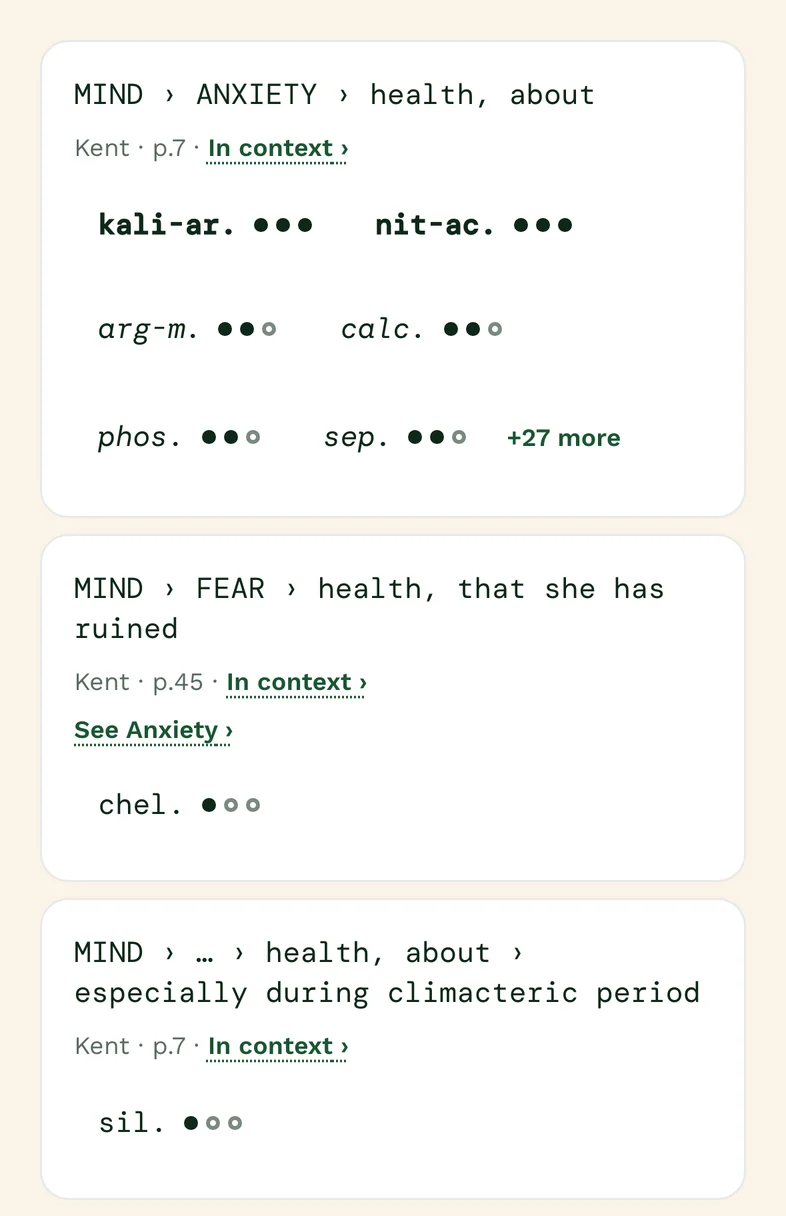
Search 10 repertories — about 1,62,500 rubrics, every one showing its book, its page and its remedies by that book’s own grades. Tap a remedy to read it across 23 materia medica, from Boger’s card to Kent’s lecture.
For homeopathic doctors
The classic repertories and materia medicas, every rubric cited to its book and page, with your patients, cases, prescriptions and bills beside them. Your books and your clinic, on your phone.
No sign-in. Every rubric names its book.
7-day full refund on your first payment · Prices include GST
The books
The classic repertories and materia medicas, as printed. Every rubric keeps its book, its page where the edition prints one, and that book’s own grades. Where the AI reads a passage, the book’s words stay apart from its interpretation.
 ALLENREPERTORYOFINTERMITTENTFEVER◆1879Repertory of Intermittent Fever4,576 rubrics · 16,983 gradingsGENTRYTHECONCORDANCEREPERTORYOF◆1890The Concordance Repertory of the More Characteristic Symptoms of the Materia Medica5,964 rubrics · 7,980 gradingsBOENNINGHAUSENTHERAPEUTICPOCKETBOOK◆1891Boenninghausen's Therapeutic Pocket Book4,211 rubrics · 1,43,728 gradingsKNERRREPERTORYOF HERING’SGUIDINGSYMPTOMS◆1896Repertory of Hering's Guiding Symptoms23,477 rubrics · 1,87,165 gradingsCLARKEA CLINICALREPERTORYTO THE DICTIONARY◆1904A Clinical Repertory2,898 rubrics · 13,864 gradingsBOGERBOENNINGHAUSEN’SCHARACTERISTICSAND REPERTORY◆1905Boenninghausen's Characteristics and Repertory29,722 rubrics · 2,84,056 gradingsBOGERSYNOPTICKEY◆1915Boger's Synoptic Key2,811 rubrics · 20,470 gradingsKENTREPERTORYOF THEHOMOEOPATHICMATERIA MEDICA◆1916Kent's Repertory of the Homoeopathic Materia Medica65,593 rubrics · 4,48,086 gradingsO. E. BOERICKEREPERTORY◆1927Boericke's Repertory8,186 rubrics · 60,972 gradingsBOGERGENERALANALYSISWITH CARD INDEX◆1931General Analysis with Card Index370 rubrics · 5,974 gradingsROBERTS"SENSATIONSASIF-"◆1937"Sensations As If -" A Repertory of Subjective Symptoms17,603 rubrics · 28,033 gradingsLIPPETEXT BOOKOFMATERIAMEDICA◆1866Text Book of Materia Medica17,904 passages · 228 remediesHERINGCONDENSEDMATERIAMEDICA◆1877Condensed Materia Medica7,890 passages · 206 remediesALLENTHE THERAPEUTICSOFFEVERS◆1879The Therapeutics of Fevers3,788 passages · 133 remediesHERINGTHE GUIDINGSYMPTOMSOF OURMATERIA MEDICA◆1879The Guiding Symptoms of Our Materia Medica15,750 passages · 405 remediesGUERNSEYKEY-NOTESTO THEMATERIA MEDICA◆1887Key-Notes to the Materia Medica1,769 passages · 191 remediesALLENHANDBOOKOFMATERIA◆1889Hand Book of Materia Medica and Homœopathic Therapeutics16,012 passages · 371 remediesKNERRDRUGRELATIONSHIPS◆1891Knerr's Drug Relationships, from Hering's Guiding Symptoms3,223 relationship statementsALLENAPRIMEROFMATERIA◆1892A Primer of Materia Medica for Practitioners of Homœopathy3,279 passages · 260 remediesHAHNEMANNCHRONICDISEASESANTIPSORICMEDICINES◆1896The Chronic Diseases — the Antipsoric Medicines41,757 passages · 48 remediesALLENKEYNOTESANDCHARACTERISTICS◆1898Keynotes and Characteristics with Comparisons of some of the Leading Remedies of the Materia Medica3,238 passages · 184 remediesNASHLEADERSIN HOMOEOPATHICTHERAPEUTICS◆1899Leaders in Homoeopathic Therapeutics2,076 passages · 212 remediesCLARKEA DICTIONARYOF PRACTICALMATERIA MEDICA◆1902A Dictionary of Practical Materia Medica14,497 passages · 656 remediesARNDTFIRSTLESSONSINTHE◆1904First Lessons in the Symptomatology of Leading Homœopathic Remedies1,649 passages · 131 remediesJONESTHEMNEMONICSIMILIAD◆1904The Mnemonic Similiad1,107 passages · 156 remediesBOGERBOENNINGHAUSENCHARACTERISTICS:MATERIAMEDICA◆1905Boenninghausen's Characteristics: Materia Medica4,108 passages · 139 remediesHUTCHISONSEVEN HUNDREDRED LINESYMPTOMS◆1905Seven Hundred Red Line Symptoms from Materia Medica726 passages · 138 remediesKENTLECTURESON HOMOEOPATHICMATERIA MEDICA◆1905Lectures on Homoeopathic Materia Medica12,578 passages · 179 remediesALLENTHEMATERIAMEDICAOF◆1910The Materia Medica of the Nosodes730 passages · 26 remediesBOGERSYNOPTIC KEYMATERIAMEDICA◆1915Boger's Synoptic Key — Materia Medica1,620 passages · 292 remediesLIPPEKEYNOTESOFTHEHOMOEOPATHIC◆1915Keynotes of the Homoeopathic Materia Medica1,849 passages · 123 remediesMILLERRELATIONSHIPOFREMEDIES◆1919Relationship of Remedies170 passages · 157 remedies · 2,347 relationship statementsKENTKENTNEWREMEDIES◆1926Kent's New Remedies1,492 passages · 23 remediesBOERICKEHOMOEOPATHICMATERIAMEDICA◆1927Homœopathic Materia Medica7,079 passages · 693 remediesCURIEPRACTICEOFHOMOEOPATHY◆1838Practice of Homoeopathy971 passagesCLARKECHOLERA,DIARRHOEAANDDYSENTERY:◆1893Cholera, Diarrhoea and Dysentery: Homoeopathic Prevention and Cure130 passagesBRADFORDTHELIFEANDLETTERS◆1895The Life and Letters of Dr Samuel Hahnemann5,690 passagesHAHNEMANNTHECHRONICDISEASES◆1896The Chronic Diseases, their Peculiar Nature and their Homœopathic Cure1,251 passages(COMPILER)HISTORICSKETCHOFTHE◆1900Historic Sketch of the Monument Erected in Washington City to the Honor of Samuel Hahnemann159 passagesKENTLECTURESONHOMOEOPATHICPHILOSOPHY◆1900Lectures on Homoeopathic Philosophy3,607 passagesNASHLEADERSINTYPHOIDFEVER◆1900Leaders in Typhoid Fever195 passagesCLARKEHOMOEOPATHYEXPLAINED◆1905Homoeopathy Explained285 passagesNASHTHETESTIMONYOFTHE◆1911The Testimony of the Clinic227 passagesBIDWELLHOWTOUSETHE◆1915How to Use the Repertory, with a Practical Analysis of Forty Homoeopathic Remedies982 passagesEDUCATIONHOSPITALSANDSANATORIUMSOF◆1916Hospitals and Sanatoriums of the Homoeopathic School of Medicine572 passagesSTUARTTHELIFEOFPETER◆1921The Life of Peter Stuart, the "Ditton Doctor"439 passagesHAHNEMANNORGANONOFMEDICINE◆1922Organon of Medicine606 passagesDEARBORNAMERICANHOMEOPATHYINTHE◆1923American Homeopathy in the World War324 passagesCLOSETHE GENIUSOFHOMOEOPATHY◆1924The Genius of Homoeopathy1,381 passagesKENTCLINICALCASES◆1926Clinical Cases2,307 passagesKENTLESSERWRITINGS◆1926Lesser Writings3,354 passagesCLARKECONSTITUTIONALMEDICINE◆1930Constitutional Medicine567 passagesROBERTSTHEPRINCIPLESANDART◆1942The Principles and Art of Cure by Homoeopathy1,197 passagesKENTWHATTHEDOCTORNEEDS◆What the Doctor Needs to Know in Order to Make a Successful Prescription1,015 passages
Kent, Boger, Boenninghausen, Boericke, Allen, Hutchison, Clarke, Hering and Knerr. Check each source’s edition and coverage in the Library.
01
Search 10 repertories — about 1,62,500 rubrics, every one showing its book, its page and its remedies by that book’s own grades. Tap a remedy to read it across 23 materia medica, from Boger’s card to Kent’s lecture.
02
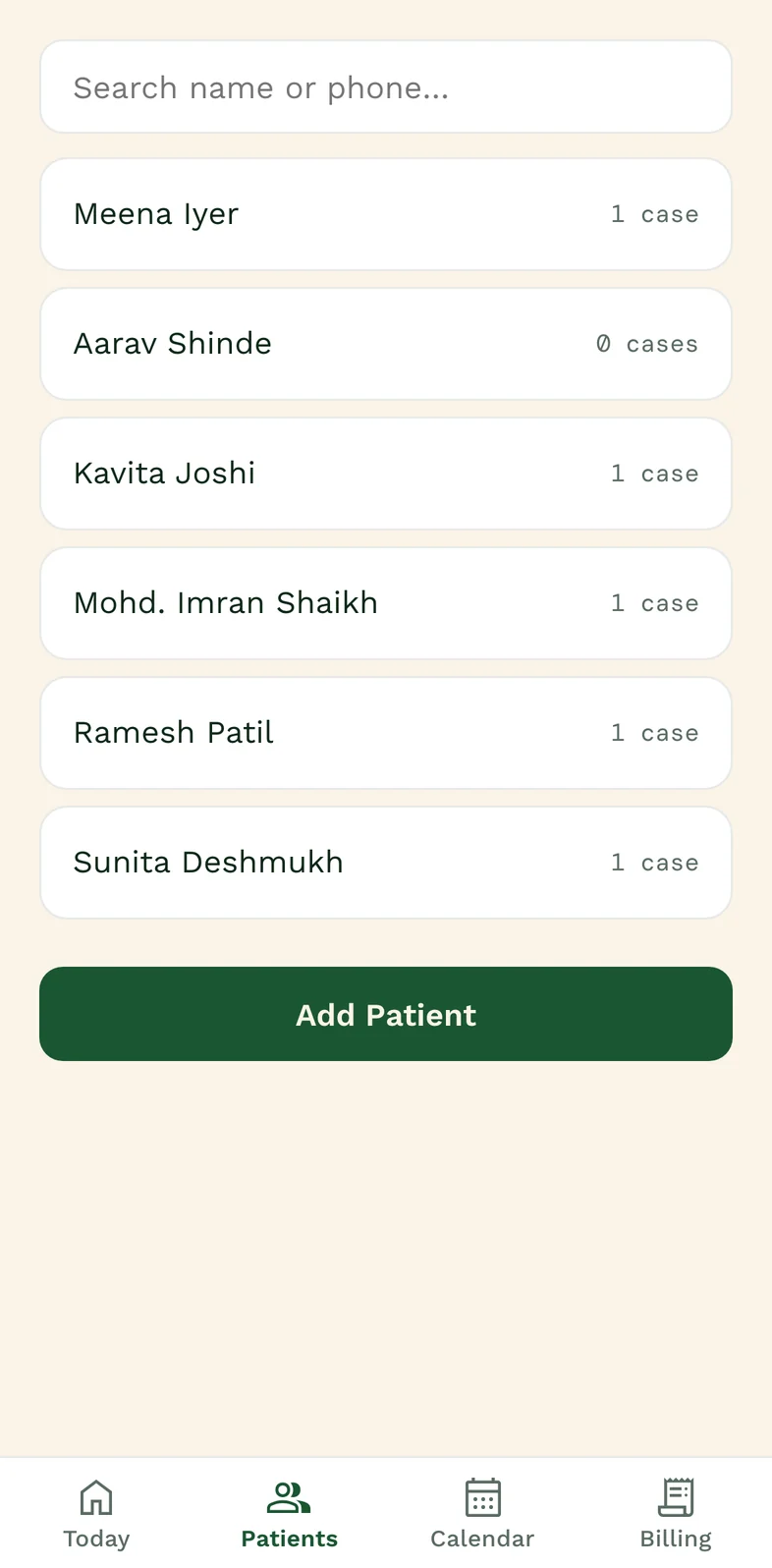
Search by name or phone. Open the patient’s cases, prescriptions and recorded follow-ups.
03
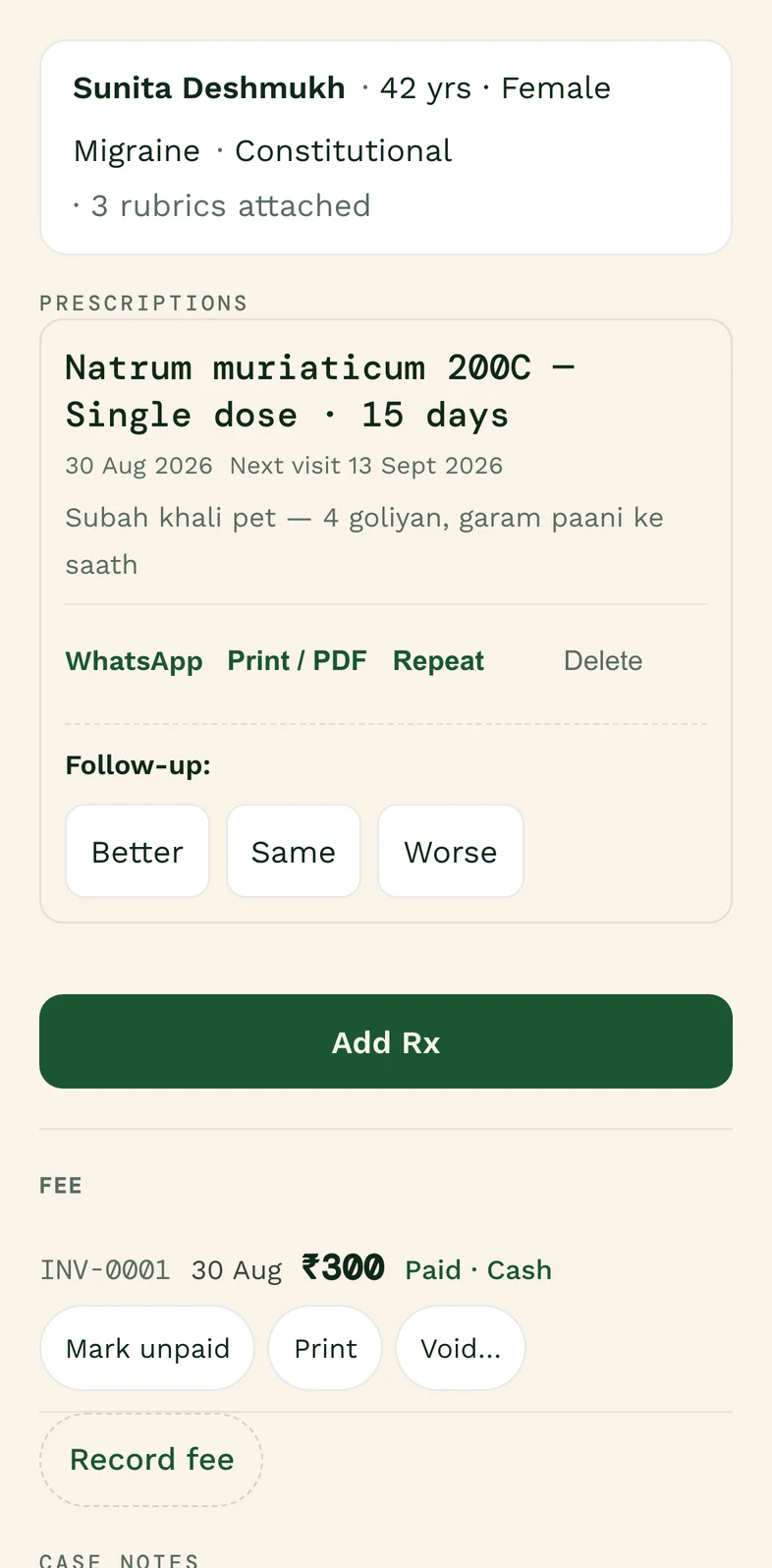
Mind, physicals, generals, then the Rx and the fee on one screen. Follow-ups open where you left off.
04
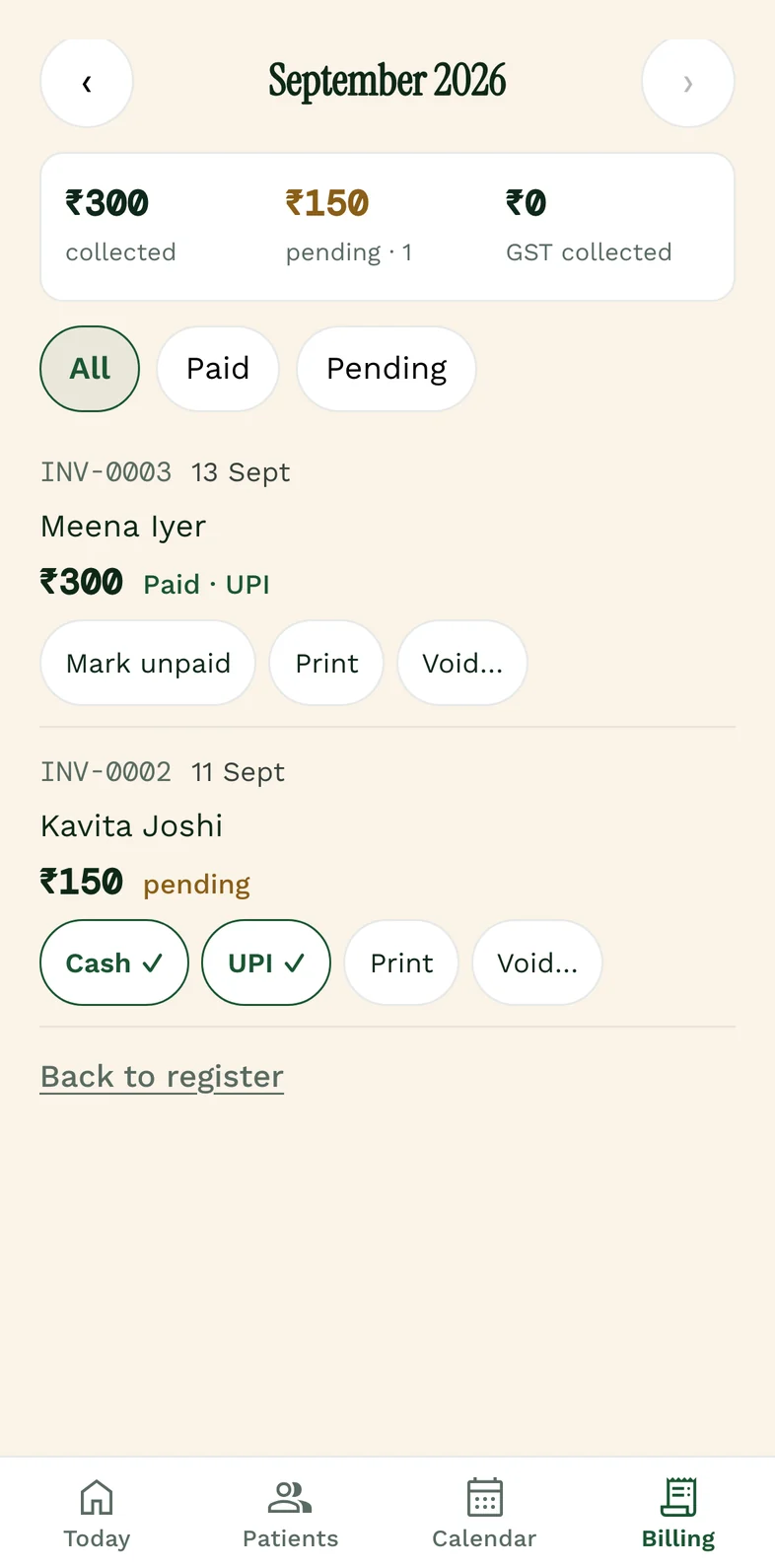
A receipt or a GST invoice, one tap after the visit. The month adds itself up, patient by patient.
Queue and tokens
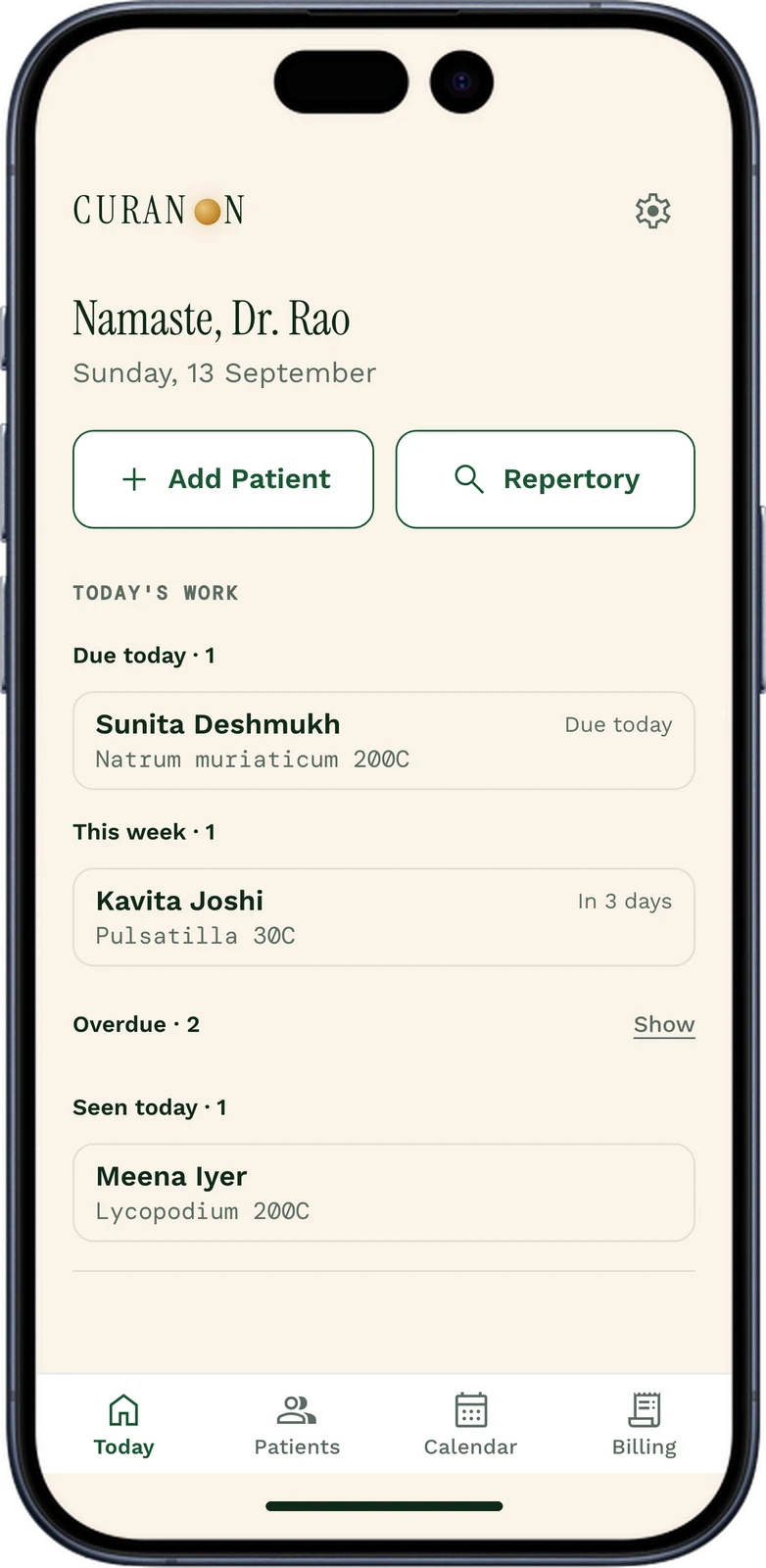
A token at the desk for each walk-in; “Next patient” opens the case.
Booking link
Patients ask for a visit from your private link; the request lands in Curanon.
Labels and certificates
Bottle labels and medical certificates, printed from the visit.
Dispensary stock
What is on the shelf, what it cost and when it expires.
✦ Old paper case sheets
Photograph one; the AI types it into a draft you confirm, part by part.
Lab values
Report values kept by test, with their trend over time.
Use your email to create an account.
Find the rubric, then read the remedy in the materia medica.
A name and a phone number, then remedy and potency to print or send.
✦ AI, with its sources
It suggests to you, with the books open beside it. The prescription is yours to write.
Your case notes, the photos you add with the patient’s consent, and the books on the shelf, read together and turned into rubrics you can check.
Rubrics for the case, a remedy shortlist, a potency and how often to repeat it, each with its reasoning in plain words.
Each one shows where it comes from: the book, the page where the edition prints one, the repertory’s chapter and grade, or the materia medica passage as printed.
Nothing is saved to a case until you confirm it, change it or set it aside.
Your Clinic page
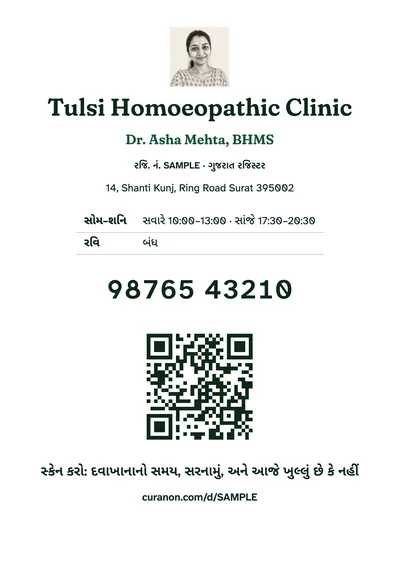
Name, degree, registration, address, hours, and buttons to call, WhatsApp or get directions — made from the clinic details you already typed. Nothing to design. One tap to publish.
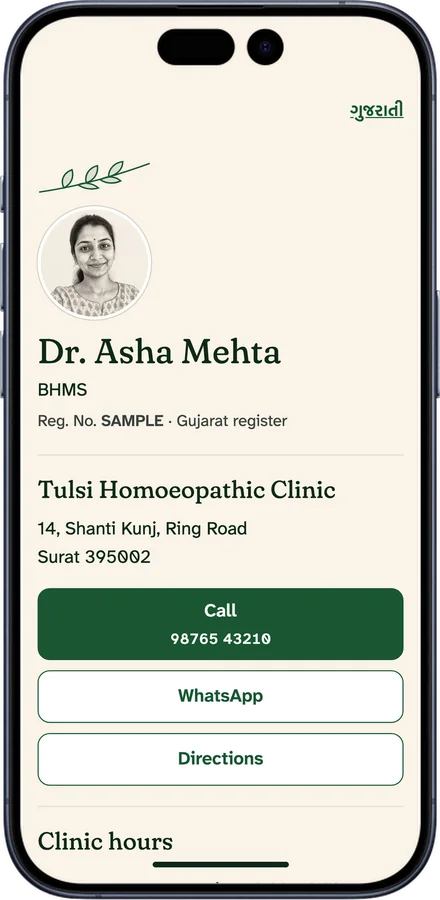
Add a photo, and the page shows a pen-and-ink portrait drawn from it. The photo itself is never shown.
Send your link on WhatsApp. Print the QR poster for the waiting room.
Post a closed day, leave or a move; the page shows it until the date passes. With your booking link on, patients can ask for a visit.
Once your registration number matches the public register, the page gets curanon.com/dr/your-name-city and Google can list it.
Made to the NCH rules on publicity: practice facts only. No place for fees, ratings, reviews, disease lists or “specialist”. Nothing to second-guess.
Included in every plan. Make it and see it before you pay; publish it with your plan.
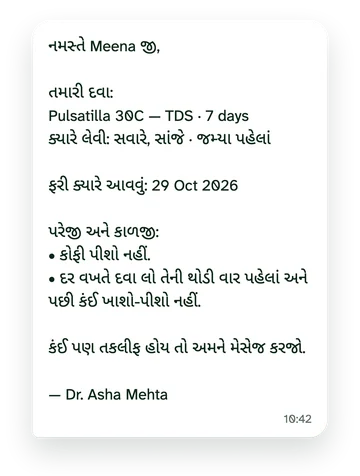
Messages to patients
One tap after the prescription opens your own WhatsApp with the message written: the medicine as you wrote it, when to take it, what to avoid and the next visit, in the language your patient reads. You press send. It goes from your own number, so there is nothing to pay per message.
Remedy and potency stay in Latin letters, so any pharmacy or doctor reads them exactly.
Change a patient’s language in one tap; their next message remembers it.
Follow-up reminders and your booking and Clinic page links go the same way, in the same language.
Prices include GST. Full refund within 7 days of your first payment.
Clinic
Paying monthly for a year: ₹9,588₹7,999per year
₹666 a month · ₹1,589 less than paying monthly
Adds AI, with sources
Practice
Paying monthly for a year: ₹17,988₹14,999per year
₹1,249 a month · ₹2,989 less than paying monthly
Clinic Plus
Paying monthly for a year: ₹47,988₹39,999per year
₹3,333 a month · ₹7,989 less than paying monthly
| Plan | Clinic | Practice | Clinic Plus |
|---|---|---|---|
| Doctors | 1 | 1 | 3, then ₹9,999 a year each |
| Staff seats | None | 1 | 2 |
| Places | 1 | 1 | Several |
| ✦ AI case-note readings | 3 a month | Included | Included, each doctor |
| ✦ AI case conversations a month | 20 | 50 | 50, each doctor |
| ✦ Questions to the books a month | 50 | 150 | 150, each doctor |
Studying BHMS? The Student plan, ₹499 a year: exam practice, timed mocks with a percentile, flashcards and practice cases, with the books. No patient records. Learn for students →
Founding offer for the first 100 doctors, 3 years paid once: Clinic ₹15,999 (save ₹7,998 over 3 years), Practice ₹29,999 (save ₹14,998 over 3 years).
Prices include 18% GST. Yearly plans are paid once and do not renew by themselves; monthly plans renew by UPI AutoPay until you turn them off. Monthly equivalents are rounded down.
Ask for a full refund within 7 days of your first payment: one tap in Settings, back to how you paid. Your records stay readable and exportable whatever happens.
You control the records you enter. Settings provides record exports; contact dpo@curanon.com for additional access or deletion requests. Hosting and AI processors handle data to provide the features, as explained in Privacy.
10 repertories, about 1,62,500 rubrics. Kent’s, the 6th American edition — the standard. Boger’s Boenninghausen’s Characteristics and Repertory, 1905 — the one doctors reach for when the case is modalities and concomitants rather than mentals. Boenninghausen’s own Therapeutic Pocket Book, 1891 Allen edition, read from the scan with its four grades intact. Boericke’s Repertory, 1927 — the one that starts from a diagnosis. Boger’s Synoptic Key, 1915 and his General Analysis, 1931 — small, opinionated sets for a short consultation. Allen’s Repertory of Intermittent Fever, 1879 — chill, heat, sweat and the hour of the paroxysm. Every rubric shows its book, its page where that edition prints one, and the remedies with that book’s own grades, so you can check it against the shelf. The books grade differently — Boenninghausen in four tiers, Kent in three, Boericke in two — and the app shows each book’s own. Tapping a remedy opens it across the 23 materia medica on the shelf, from Boger’s card to Kent’s lecture. All public-domain editions, every one listed with its count at curanon.com/library.
Yes. Every book is free to read in the Library, with no account. Every plan includes the repertory, the workbench and the materia medica in the app, whether or not you keep patient records there. Practice adds the AI.
No. The AI suggests to you, never to the patient. It reads your case notes, the photos you add with the patient’s consent, and the books. It proposes rubrics, a remedy shortlist, a potency and how often to repeat it. Each suggestion cites its source and needs your review. Citations are historical references, not proof of effectiveness; diagnosis, referral, remedy, potency and dose remain your decision, and the prescription is yours to write.
It opens in a browser and can be installed on supported Android, iPhone and desktop browsers. Loading and saving clinic records requires a connection; this is not a fully offline clinic app.
Begin with a fictional patient to learn the screens. Then add patients as they return: photograph an old case sheet and the AI types it into a draft (details, complaints, symptoms, earlier prescriptions), and nothing is saved until you confirm each part. Keep the original records. There is no bulk migration service yet. Read the migration guide before transferring records.
Yes. You can use Curanon for records and follow-ups while keeping an existing reference tool. Compare the actual editions, workflow, offline requirements and total price; we do not claim that one product suits every clinic.